Marketplace presets
Included free. Start with Etsy, eBay, Amazon, or Shopify guidance. Lifetime Pro adds reusable custom output presets.
Marketplace photo prep for iPhone, iPad & Mac
Check, resize, rename, review, and export product photos for Etsy, eBay, Amazon, or Shopify—entirely on your device.
One local workflow for
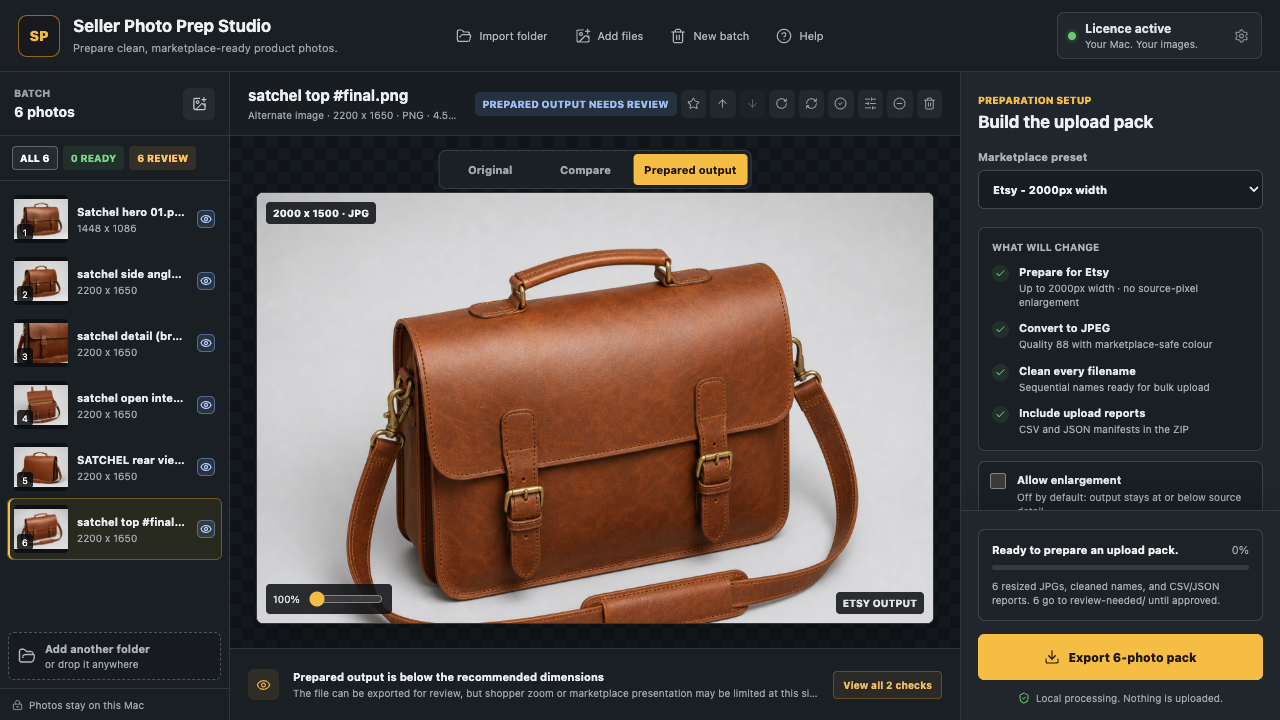
See what the app actually does
These are real Seller Photo Prep states, not interface mockups. The App Store listing contains the current public builds.
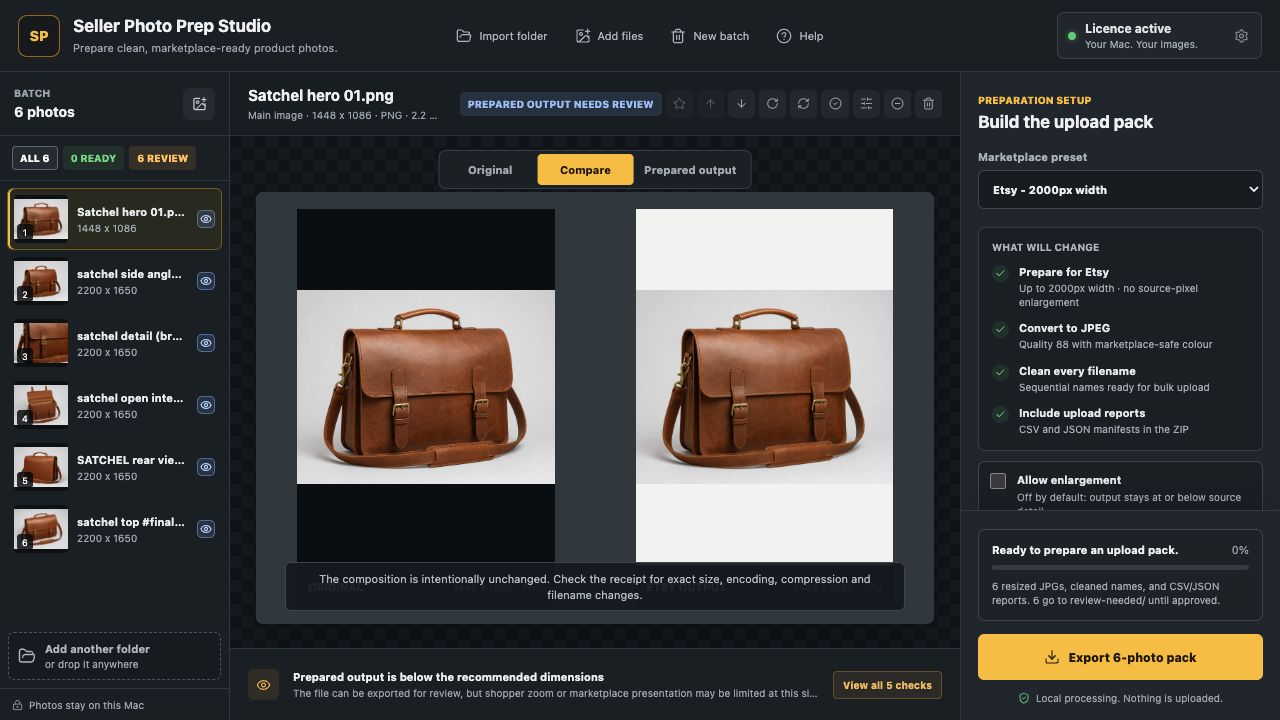
Seller Photo Prep workflow
Available on the App Store
Use the free workflow before deciding. Lifetime Pro is an optional non-consumable in-app purchase supplied by Apple, with no subscription.
Try the workflow in your browser
See the likely resize, format, filename, and manual-review work for one marketplace. The photos stay in this browser and are never sent to us.
You will see what can be fixed automatically, what comes from the source, and what still needs a human review.
This quick check reads dimensions, format, and filename only. It does not upload images, certify marketplace acceptance, or replace the Mac app's deeper subject, background, duplicate, and export checks.
The workflow change
Included workflow
Included free. Start with Etsy, eBay, Amazon, or Shopify guidance. Lifetime Pro adds reusable custom output presets.
Included free. Inspect dimensions, sharpness signals, subject geometry, transparency, and background conditions locally.
Platform-sized batches. Mobile supports up to 50 photos with Pro; Mac supports larger packs up to 500. Originals remain unchanged.
Clear evidence. Free exports include a readable summary. Lifetime Pro adds complete CSV and JSON reports.
Mac workflow. Surface exact and visually similar files before repeated angles or accidental copies reach the upload pack.
Lifetime Pro. Group listing photos by product and produce predictable product and SKU filenames.
Current marketplace guidance
Required limits, recommendations, and the checks that still need a seller's judgement. Every guide links to the official marketplace source.
2000 px guidance, crop behaviour, supported formats, and original-photo policy.
eBayThe 500 px minimum, 1600 px guidance, accepted formats, and prohibited overlays.
AmazonMain-image background, subject fill, zoom guidance, and the square-output myth.
ShopifyUpload limits, 2048 px guidance, formats, aspect consistency, and theme cropping.
A simple App Store path
Use the same public listing for iPhone, iPad, or Mac.
Inspect the source, prepared output, warnings, and five-photo export before paying.
Apple handles the one-time purchase and Restore Purchases workflow. There is no subscription.
The free workflow remains useful without Pro. Marketplace guidance can change, and the app does not guarantee listing acceptance.
Straight answers
Need a fit check? Email support@vaultdevlabs.com.
No. Analysis and export happen locally on your iPhone, iPad, or Mac. The app does not need a marketplace login and does not upload your images to VaultDevLabs.
Mobile supports free batches up to 20 photos and Pro batches up to 50. Mac supports larger packs up to 500. Supported formats vary by platform and selected source.
No. Seller Photo Prep Studio creates a separate export pack. The source folder remains untouched.
The public App Store listing supplies the current compatible build for supported iPhone, iPad, and Mac devices.
Yes. The free tier imports up to 20 photos per batch and exports up to five prepared photos. Download it from the App Store before deciding on Pro.
Lifetime Pro is one non-consumable in-app purchase for the app, with no recurring subscription. The App Store supplies the current storefront price and handles purchase restoration.
Prefer the outcome, not the software?
Send one folder and the target marketplace. We return a prepared ZIP and report from £29.
Check pilot availabilitySeller Photo Prep Studio