Marketplace image guide
Etsy Listing Photo Size and Format Requirements
The dimensions, formats, crop guidance, listing limits, and policy checks that matter before you upload an Etsy photo set.
Reviewed against official Etsy guidance on .
- Recommended source
- 2000 × 2000px or larger
- First-image guidance
- 635 × 635px or larger
- Listing capacity
- Up to 20 photos
Short answer
Etsy recommends listing photos that are at least 2000 pixels wide and 2000 pixels high. Its 635-pixel guidance applies to both dimensions of the first image for search guidance; it is not an upload minimum. Etsy does not state a fixed listing-photo aspect ratio or require a white background.
01
Required, recommended, and easy to confuse.
Etsy mixes technical support, visual advice, and listing-image policy. Keep the category of each statement clear before changing a source photo.
| Topic | Etsy requires or limits | Etsy recommends or guides | Preparation note |
|---|---|---|---|
| Dimensions | The cited listing-image help does not state a hard upload minimum. | At least 2000px in both width and height. | Start with a source that already meets both dimensions. Enlarging a small photo cannot recover missing detail. |
| First image | 635px is not described as an upload minimum. | At least 635px in both dimensions as first-image search guidance. | Do not treat 635 × 635px as the working target when a larger original is available. |
| File format | JPG, GIF, PNG, SVG, or HEIC. Animated GIF and transparent PNG are unsupported. | Use a static, flattened image when animation or transparency would change the result. | Etsy says transparent PNG areas appear black. Preview the flattened output before upload. |
| File size | No hard listing-photo file-size limit is stated in the cited guidance. | Keep files practical for the connection while preserving useful source detail. | Etsy notes that files above 1MB may not finish on slower connections, but does not present 1MB as a fixed maximum. |
| Shape and background | No fixed listing-photo aspect ratio and no white-background requirement are stated. | Keep the focal point central and leave room for square, portrait, and landscape thumbnail crops. | Use a clear background suited to the product; do not force a square crop merely to satisfy a rule that is not there. |
| Photo count | Up to 20 listing photos. | Use the set to show the full item, details, scale, variations, and condition where relevant. | Order the strongest accurate overview first, then use the remaining positions deliberately. |
| Photo origin | Use original photos of the actual finished product, subject to Etsy's limited policy exceptions. | Check the specific rules for personalised items, production partners, and additional mockup images. | This is a human policy decision. Dimensions and file metadata cannot establish whether an exception applies. |
Do not upscale by habit. A 1200px source can be exported at 2000px, but that operation does not create the detail of a native 2000px source.
02
Prepare for the crop, not one fixed ratio.
Etsy's own guidance can pull in different directions: it discusses a horizontal or square first image, then advises avoiding square crops and using horizontal images. The stable choice is a centred subject with enough margin to survive each thumbnail view.
- Keep the subject near the centre.Put the important product detail inside the safest central area rather than tight to an edge.
- Leave useful negative space.Extra margin gives Etsy room to show square, portrait, and landscape thumbnails without cutting through the item.
- Preview the first-image thumbnail.Use Etsy's placement tool and inspect the actual crop before publishing the listing.
- Keep the set visually coherent.Consistent source shapes can make the sequence calmer, but they are a presentation choice rather than a fixed upload rule.
Private five-photo check
Check an Etsy sample before preparing the full folder.
Add up to five JPEG, PNG, or WebP photos. The browser reads dimensions, format, and filename locally, then compares them with the Etsy workflow target. Photo bytes and filenames are not sent to VaultDevLabs.
See which technical changes are automatic, which source issues need attention, and which questions still need a person.
This browser check reads dimensions, browser-decodable format, and filename only. It does not inspect Etsy policy, judge the final crop, certify acceptance, or create detail missing from a small source.
03
Technical preparation and human review are different jobs.
The Mac app can make a folder consistent and surface likely issues. The seller still decides whether each image accurately represents the listing and follows Etsy's content policy.
Technical review
What the app checks
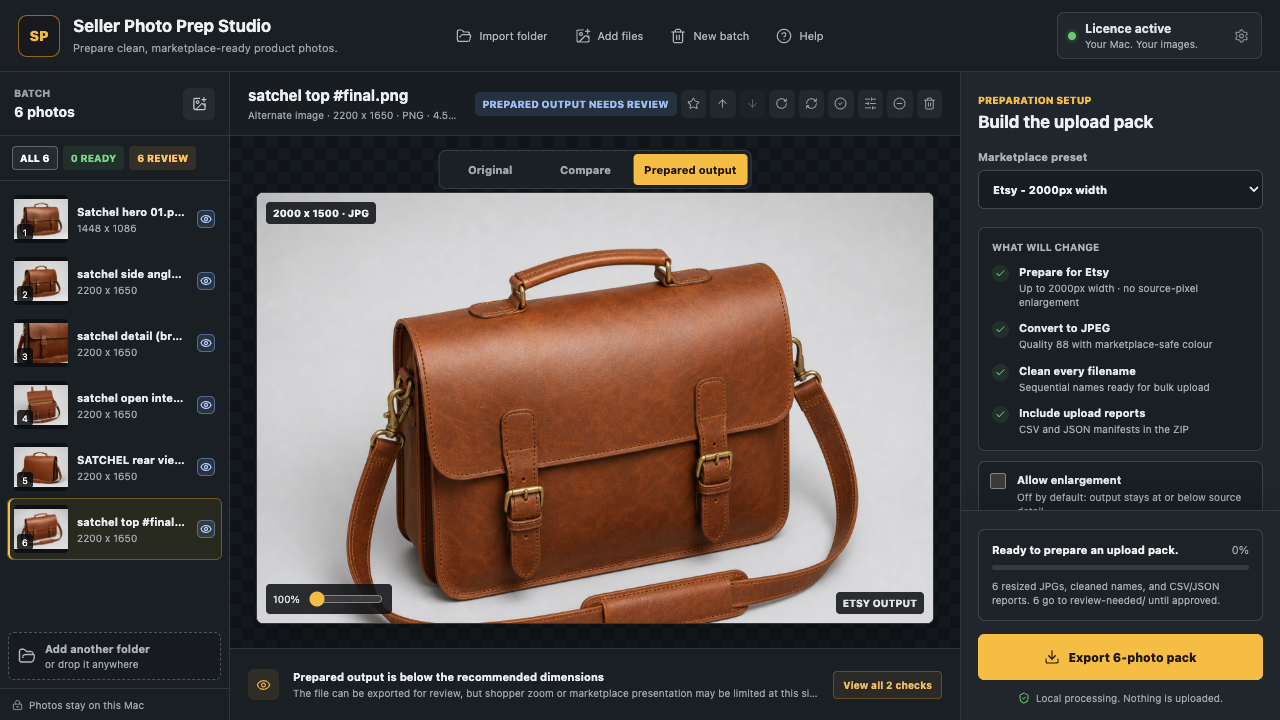
For supported imports, Seller Photo Prep Studio analyses and prepares technical properties locally on the Mac.
- Source dimensions and format against the selected workflow.
- Filename safety, sequence, and batch output naming.
- Subject framing, background, sharpness, transparency, and duplicate signals.
- Prepared output size, format, preview, and export reports.
Seller decision
What still needs manual review
These questions depend on the item, listing context, and the meaning of the image rather than its pixels.
- Whether the photo is original and shows the actual finished product.
- Whether a personalised-item, production-partner, or mockup exception applies.
- Whether each crop keeps the product accurate, complete, and easy to inspect.
- Whether you hold the necessary image rights and the set reflects condition and quantity.
Neither the browser checker nor the Mac app can promise Etsy acceptance. Marketplace review and policy interpretation remain outside the tool.
Official sources
- Etsy Help: Requirements and Best Practices for Images in Your Etsy Shop Dimensions, formats, colour profile, orientation, and thumbnail crop guidance.
- Etsy policy: Listing Image Requirements Original-photo rules and limited exceptions for personalised items and production partners.
Marketplace guidance can change. Check the official pages for the current wording before publishing. This independent summary is not an Etsy compliance decision and Seller Photo Prep Studio is not affiliated with Etsy.
Etsy photo FAQ
The points sellers most often mix up.
Answers are based on the official sources checked on 14 July 2026.
What size should Etsy listing photos be?
Etsy recommends listing photos with both width and height of at least 2000 pixels. This is a recommendation, not a stated listing-photo upload minimum.
Is 635 x 635 pixels Etsy's upload minimum?
No. Etsy gives at least 635 pixels in both dimensions as search guidance for the first listing image, not as an upload minimum.
What image formats does Etsy accept?
Etsy accepts JPG, GIF, PNG, SVG, and HEIC images. Animated GIF files and transparent PNG files are not supported; Etsy says transparent areas appear black.
Does Etsy require a square image or white background?
The cited Etsy listing-image guidance does not set a fixed aspect ratio or a white-background requirement. Keep the subject centred with enough margin for different thumbnail crops.
How many photos can an Etsy listing have?
An Etsy listing can include up to 20 photos.
Can an app verify Etsy's original-photo and mockup policy?
No. Software can check technical image properties, but Etsy's original-photo rules and limited mockup exceptions require human review of the listing and the item being sold.
iPhone, iPad and Mac
Prepare full Etsy photo folders locally.
Check source files, use the 2000px-wide Etsy workflow, preview prepared outputs, rename the batch, and export review reports without uploading photos to our servers.