Marketplace image guide
eBay Listing Photo Size and Requirements
The binding minimum, recommended working size, accepted formats, file limit, presentation guidance, and picture-policy checks for an eBay listing set.
Reviewed against official eBay UK guidance on .
- Binding minimum
- 500px on the longest side
- Recommended image
- About 1600 × 1600px
- Maximum file size
- 12MB per photo
Short answer
eBay's picture policy requires photos to be at least 500 pixels on the longest side, while its selling guidance recommends images around 1600 × 1600px. Files can be up to 12MB and listings can include up to 24 images. The 1:1 and 16:9 ratios and neutral background are preferences, not fixed requirements.
01
Separate policy requirements from presentation advice.
The 500px long-side minimum and prohibited image content belong to eBay's picture policy. The 1600px size, preferred ratios, and background advice are practical recommendations.
| Topic | eBay requires or limits | eBay recommends or guides | Preparation note |
|---|---|---|---|
| Dimensions | At least 500px on the longest side. This is the binding picture-policy minimum. | Images around 1600 × 1600px. | Use a larger original where possible. Seller Photo Prep Studio uses a 1600px long-edge workflow default so the source aspect ratio can remain unchanged. |
| File format | JPEG, PNG, GIF, TIFF, BMP, WebP, HEIC, or AVIF. | Choose a format that preserves a clear, accurate view without unnecessary upload weight. | The browser checker below reads JPEG, PNG, and WebP only; eBay's accepted upload list is broader. |
| File size | 12MB maximum per photo. | Keep enough source detail for close inspection without pushing every file to the limit. | Check the encoded file size after export, not only the source dimensions. |
| Aspect ratio | No fixed 1:1 or 16:9 ratio is stated as a policy requirement. | eBay says 1:1 or 16:9 generally look best across listing placements. | Treat these as presentation preferences. Do not distort or crop out item detail to force a ratio. |
| Background | The photo must accurately represent the item; the cited policy does not impose a white background. | Use a neutral, uncluttered backdrop. White is generally best, while a darker backdrop may suit shiny or reflective items. | Choose contrast that keeps the edges and condition of the actual item easy to inspect. |
| Added content | No added borders, text, artwork, marketing material, or watermarks. | Show the whole item face-on in the main image and use additional views for detail. | These content restrictions need visual review; dimensions and metadata cannot establish them. |
| Photo count | At least one photo; up to 24 photos per listing. | Use several accurate views to show angles, features, scale, flaws, and what is included. | Put the clearest whole-item view first, then sequence supporting evidence deliberately. |
| Stock photos | Stock photos are not allowed for used, damaged, or defective items. | Photograph the exact item's condition and show flaws clearly. | A person must confirm whether the image is stock and whether the listed condition triggers the restriction. |
Minimum is not target. A 500px image may clear the policy threshold but still be a weak source for close inspection. Work from a larger original whenever one exists.
02
Use 1600px as a workflow target, not a square-image rule.
eBay's guidance says images around 1600 × 1600px are recommended, but it also treats 1:1 and 16:9 as preferences. The app's 1600px long-edge default preserves the source shape instead of forcing every photo into a square.
- Start above the 500px policy floor.Use the highest-quality accurate original available. Upscaling cannot restore texture or condition detail that was never captured.
- Prepare the longest side to 1600px.This keeps a consistent working target while preserving portrait, landscape, or square source proportions.
- Use a neutral, uncluttered setting.Choose white when it shows the item clearly or a darker neutral where reflective edges need contrast.
- Show the exact item and its condition.Include the whole item first, then angles, details, measurements, and clear close-ups of flaws where relevant.
Private five-photo check
Check an eBay sample before preparing the full folder.
Add up to five JPEG, PNG, or WebP photos. The browser reads dimensions, format, and filename locally, then compares them with the 500px minimum and 1600px long-edge workflow. Photo bytes and filenames are not sent to VaultDevLabs.
See which technical changes are automatic, which source issues need attention, and which picture-policy questions still need a person.
This browser check reads dimensions, browser-decodable format, and filename only. It does not inspect every eBay-accepted format, detect all added text or watermarks, certify acceptance, or determine whether a stock photo is allowed.
03
Technical preparation cannot decide picture policy.
The Mac app can make a batch consistent and surface likely issues. The seller still confirms that every image shows the exact item, condition, and permitted content.
Technical review
What the app checks
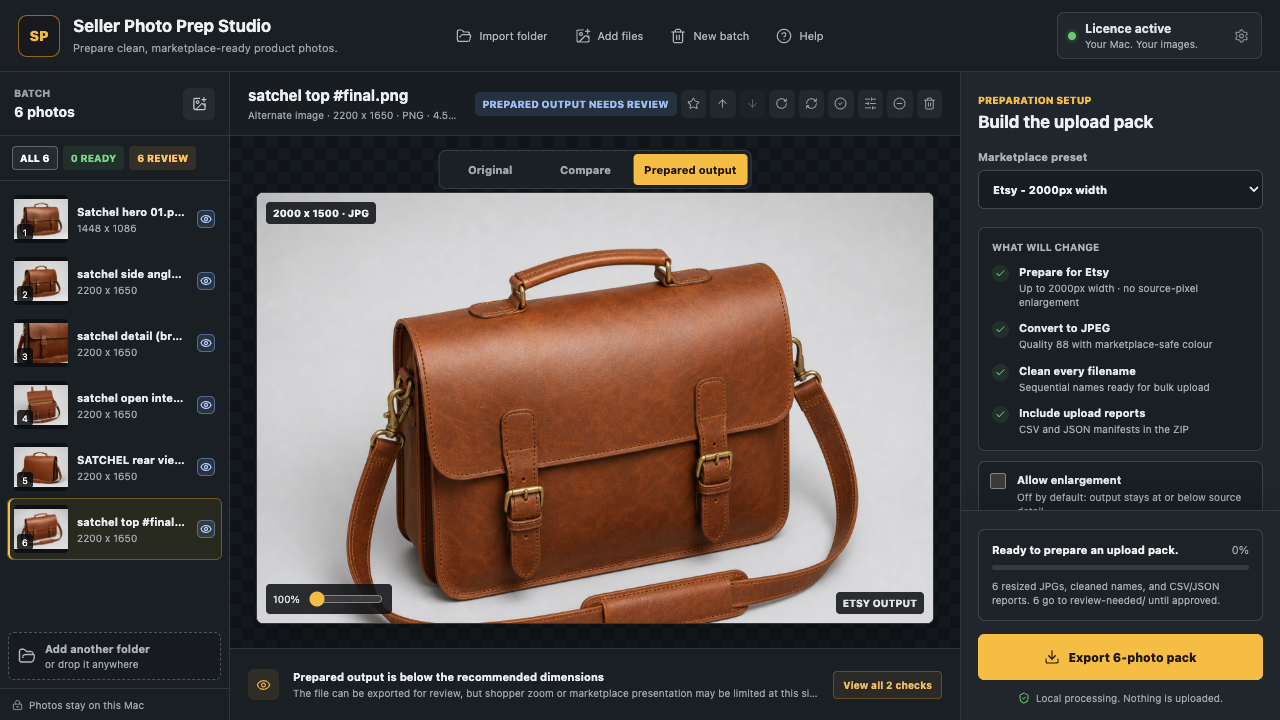
For supported imports, Seller Photo Prep Studio analyses and prepares technical properties locally on the Mac.
- Source dimensions against the 500px minimum and 1600px long-edge workflow.
- Imported format, filename safety, sequence, and batch output naming.
- Subject framing, background, sharpness, transparency, and duplicate signals.
- Prepared output size, format, preview, and export reports.
Seller decision
What still needs manual review
These questions depend on what the image depicts and how the listing describes the item.
- Whether the photo has added borders, text, artwork, marketing, or a watermark.
- Whether it accurately shows the exact item, quantity, flaws, and condition.
- Whether a stock image is being used for a used, damaged, or defective item.
- Whether the background, crop, lighting, and glare let a buyer inspect the item clearly.
Neither the browser checker nor the Mac app can promise eBay acceptance. Marketplace review and policy interpretation remain outside the tool.
Official sources
- eBay UK: Picture policy Binding 500px long-side minimum and prohibited inaccurate, stock, bordered, promotional, and watermarked images.
- eBay UK: Adding pictures to your listings Recommended size and ratios, backgrounds, accepted formats, 12MB file limit, and 24-photo capacity.
Marketplace guidance can change. Check the official pages for the current wording before publishing. This independent summary is not an eBay compliance decision and Seller Photo Prep Studio is not affiliated with eBay.
eBay photo FAQ
The limits and preferences in plain terms.
Answers are based on the official eBay UK sources checked on 14 July 2026.
What is the minimum eBay photo size?
eBay's picture policy requires photos to be at least 500 pixels on the longest side. A listing must include at least one photo.
What eBay photo size is recommended?
eBay recommends images around 1600 × 1600 pixels. Seller Photo Prep Studio uses a 1600-pixel long-edge workflow default so it can preserve a source photo's aspect ratio.
Which image formats does eBay accept?
eBay accepts JPEG, PNG, GIF, TIFF, BMP, WebP, HEIC, and AVIF images.
Does eBay require square photos or a white background?
No. eBay presents 1:1 and 16:9 ratios as preferences, not requirements. It recommends a neutral, uncluttered background and says white is generally best, while darker backgrounds may suit reflective items.
What is the maximum eBay photo file size?
Each photo can be up to 12MB.
How many photos can an eBay listing have?
An eBay listing must include at least one photo and can include up to 24 photos.
Can I use stock photos for used items on eBay?
No. eBay's picture policy does not allow stock photos for used, damaged, or defective items.
Can an app confirm eBay picture-policy acceptance?
No. Software can check technical image properties and surface likely visual issues, but the exact item, condition, stock-photo status, added content, and final marketplace decision require human review.
iPhone, iPad and Mac
Prepare full eBay photo folders locally.
Check source files, use the 1600px long-edge eBay workflow, preview prepared outputs, rename the batch, and export review reports without uploading photos to our servers.