Shopify product media guide
Shopify Product Image Size, Format, and Aspect Ratio Guide
The upload limits, useful square-image recommendation, accepted formats, and theme decisions that shape how a product photo is displayed.
Required vs recommended
Know the upload ceiling, then design for the theme.
Shopify's file limits decide whether an image can be added. Theme settings and consistent aspect ratios decide how the same source appears across product and collection templates.
| Check | Required | Recommended or useful |
|---|---|---|
| Pixel dimensions | Upload limitProduct and collection images can be up to 5000 × 5000 pixels or 25 megapixels. | Square guidanceShopify says 2048 × 2048 generally displays best for square product images. |
| File size | Upload limitThe image file must be smaller than 20 MB. | ReviewKeep enough source quality for detail, then verify the actual exported file size before upload. |
| Accepted formats | AcceptedPNG, JPEG, PSD, TIFF, BMP, GIF, SVG, HEIC, and WebP. Animated GIF and WebP are supported. | Practical outputChoose a format that fits the content and workflow; the app's Shopify preset exports WebP. |
| Shape and ratio | No square ruleShopify does not require a 1:1 image or a 2048 × 2048 upload. | ConsistencyUse a consistent aspect ratio for featured images shown together on collection pages. |
| Crop and display | Theme dependentThe online-store theme controls the rendered crop, media settings, and available presentation. | PreviewCheck product and collection templates at desktop and mobile sizes, including focal points. |
| Background | No white ruleShopify does not require a white background for product images. | Photography choiceUse white when it removes distractions, or use another intentional background that works with the theme. |
2048 × 2048 is guidance for square product images, not a universal Shopify requirement. Seller Photo Prep Studio's Shopify preset uses a 2048px-long-edge WebP workflow while preserving aspect ratio. That is an app default, not a platform rule.
Theme-aware workflow
Prepare the file and the storefront crop.
A technically uploadable image can still crop poorly in a live theme. Treat source preparation and storefront review as two separate steps.
-
Check the active theme before choosing a ratio
Review the product gallery and collection-card settings so you know whether the design uses square, portrait, landscape, adaptive, or cropped media.
-
Keep featured images consistent
Use the same aspect ratio for product images that appear side by side. Consistency reduces unexpected variation across collection pages.
-
Export within both upload limits
Stay at or below 5000 × 5000 pixels or 25 megapixels and verify that every final file is smaller than 20 MB.
-
Preview the live theme at multiple widths
Inspect focal points, crop, product scale, sharpness, colour, and gallery behaviour on product and collection templates before publishing.
Local five-photo checker
Check five Shopify product photos in this browser.
Read dimensions, browser-readable format, and filename locally. Shopify is preselected, and you can compare the same files with all four marketplace presets.
See basic source findings, the app's 2048px-long-edge WebP workflow, and the checks that still need a theme preview.
This quick check reads dimensions, browser-readable format, and filename only. It accepts JPEG, PNG, and WebP even though Shopify accepts additional formats. It does not explicitly validate Shopify's under-20-MB limit, render a live theme, certify compliance, or guarantee upload acceptance.
Scope and limitations
Use automation for the file, then inspect the theme.
The browser checker and Mac app can organise repeatable photo preparation. They cannot reproduce Shopify's live storefront rendering or replace a theme review.
What the app checks
- The browser checker reads image dimensions, JPEG/PNG/WebP format, and filename without uploading the files.
- The Mac app prepares its 2048px-long-edge Shopify WebP workflow, cleans filenames, and keeps the original folder unchanged.
- The Mac app adds deeper subject, background, duplicate, and export checks to help prioritise review.
- Export reports record prepared files and files that still need attention.
Manual review
- Verify that each exported image is smaller than 20 MB. The app does not explicitly validate Shopify's 20 MB upload rule.
- Preview the live product and collection templates. The app cannot validate responsive crop, aspect-ratio treatment, focal points, or theme rendering.
- Check accepted source formats outside the browser check separately; the local five-photo tool reads JPEG, PNG, and WebP only.
- Review product accuracy, colour, sharpness, background choice, accessibility text in Shopify, and the final upload result yourself.
Primary references
Official Shopify sources
- Shopify Help Center: Product media types Primary reference for accepted image formats, the 5000 × 5000-pixel or 25-megapixel ceiling, the under-20-MB limit, and 2048 × 2048 square-image guidance.
- Shopify Help Center: Uploading images Official guidance on aspect ratio, crop and resize actions, focal points, theme media settings, and Shopify's image delivery behaviour.
- Shopify Help Center: Taking product photographs Photography guidance covering source quality, lighting, image consistency, white-background setups, and product presentation.
Shopify documentation and themes can change. Recheck the upload limits and preview the active production theme before publishing a product set.
iPhone, iPad and Mac
Prepare the full folder locally.
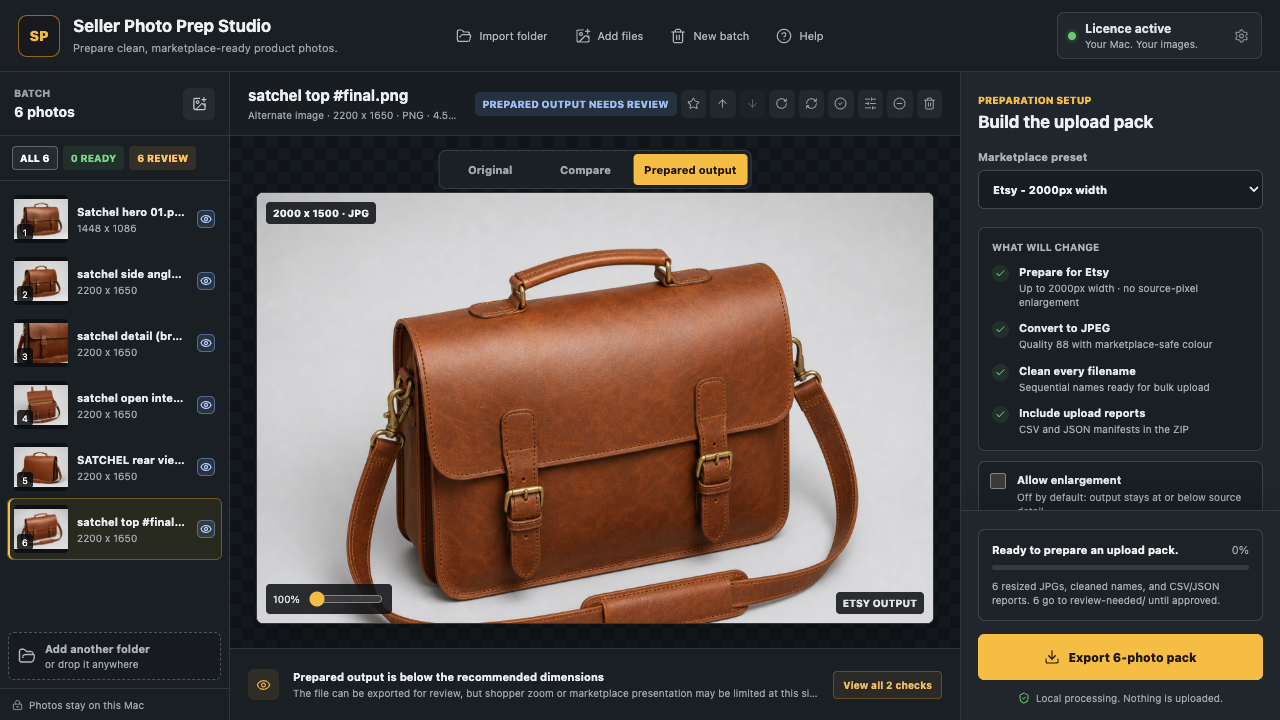
Seller Photo Prep Studio checks, renames, previews, and exports up to 500 product photos on your Mac. Use the Shopify preset as a repeatable preparation workflow, then verify file size and the live theme yourself.
See the terms, EULA, cancellation, and refund information for the direct Mac edition. The app does not guarantee marketplace upload acceptance.
Shopify image FAQ
Specific answers before upload.
Need an app fit check? Email support@vaultdevlabs.com.
What size should Shopify product images be?
Shopify allows product and collection images up to 5000 x 5000 pixels or 25 megapixels, and each file must be smaller than 20 MB. For square product images, Shopify says 2048 x 2048 pixels usually displays best.
Is 2048 x 2048 required for Shopify product images?
No. 2048 x 2048 is a general recommendation for square product images, not a required shape or upload dimension. Your theme and chosen aspect ratio control how the image is cropped and displayed.
Which image formats does Shopify accept?
Shopify accepts PNG, JPEG, PSD, TIFF, BMP, GIF, SVG, HEIC, and WebP for product images. Animated GIF and WebP files are also supported.
Does Shopify require a white background?
No. Shopify does not require product images to have a white background. Its photography guidance describes white as a useful setup for removing distractions, but brand, product, and theme needs can support other backgrounds.
What does Seller Photo Prep Studio not check for Shopify?
The app does not explicitly validate Shopify's under-20-MB upload limit and cannot preview live theme rendering, responsive crops, or focal points. Review file size and the live storefront manually.