Keeping camera names
IMG_4821.jpg says nothing about the product when it leaves the camera roll.
Catalogue workflow
Give every product image a predictable home: one product, one stable SKU, one visible image order. Preview the names before a messy camera roll becomes the upload pack.
Live filename planner
This preview follows the same SKU-first pattern used by Seller Photo Prep. It runs in this browser and does not upload or retain the values you enter.
Local preview: nothing typed here is sent to VaultDevLabs.
SAT-001-01.jpgSAT-001-02.jpgSAT-001-03.jpgSAT-001-04.jpgSAT-001-05.jpgThe practical pattern
A filename should make the product and image order unambiguous. Product titles and alt text can stay descriptive without turning every file into a sentence.
| Field | Example | Job |
|---|---|---|
| Product ID | satchel-brown | Stable internal group for all photos belonging to one product. |
| SKU | SAT-001 | Safe filename stem that connects the export to the catalogue record. |
| Sequence | 01, 02, 03 | Visible listing order: main image first, then angles and details. |
| Metadata | title, alt_text | Human description stored alongside the product instead of bloating the filename. |
Four controlled steps
Camera filenames are useful during capture. Catalogue filenames become useful when a listing needs to be found, updated, or rebuilt six months later.
Set one safe product ID and one stable SKU before importing or assigning photos.
Assign the main image, angles, details, packaging, and scale shots to the same product.
Sequence decides the exported slot. Amazon uses MAIN and PT slots; other presets use ordered numbers.
Confirm the prepared output, then export a separate ZIP with its readable summary and reports.
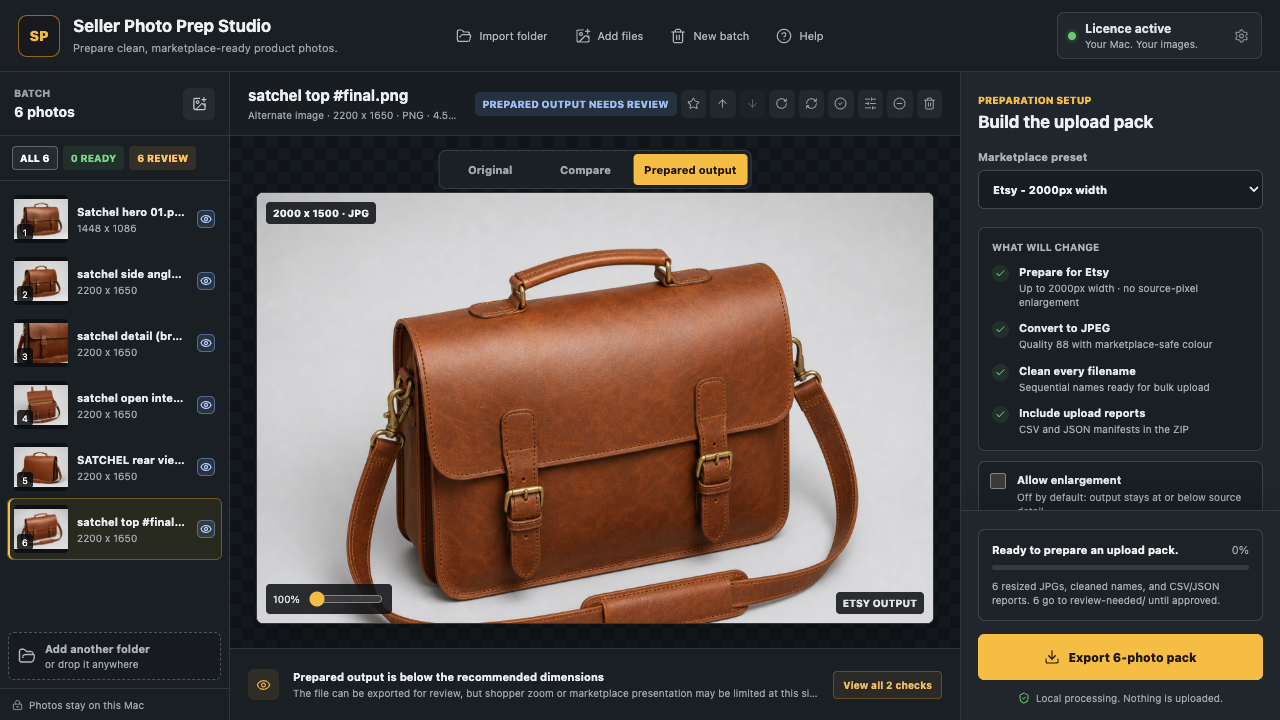
Real Seller Photo Prep workflow on Mac. Mobile uses the same local-first prepare, review, and export approach.
Where naming fits
Use naming after the set is grouped and ordered—but before the pack leaves the app. That keeps the product identity beside the actual prepared pixels.
Avoid the repair job
IMG_4821.jpg says nothing about the product when it leaves the camera roll.
Titles change. A stable SKU survives copy edits, translations, and marketplace variants.
The same 01 suffix only works when each file also carries its product identity.
Create a prepared pack. Preserve the source set so the workflow remains recoverable.
Straight answers
Including a stable SKU gives each image a durable link to the right product record. It is an operational workflow choice, not a universal marketplace requirement.
For Etsy, eBay, and Shopify, a clear pattern such as SKU-01.jpg keeps the main image first. Amazon commonly uses SKU.MAIN.jpg followed by supporting PT slots.
No. Seller Photo Prep prepares a separate export pack and does not modify the source photos.
From identifier to upload pack
Start with the free local workflow on iPhone, iPad, or Mac. Lifetime Pro adds larger exports, product and SKU naming, custom presets, and complete reports.