Catalogue cleanup workflow
Duplicate Product Photo Cleanup Workflow
Remove repeated copies without throwing away the close-up, defect, texture, or alternate angle that a buyer actually needs.
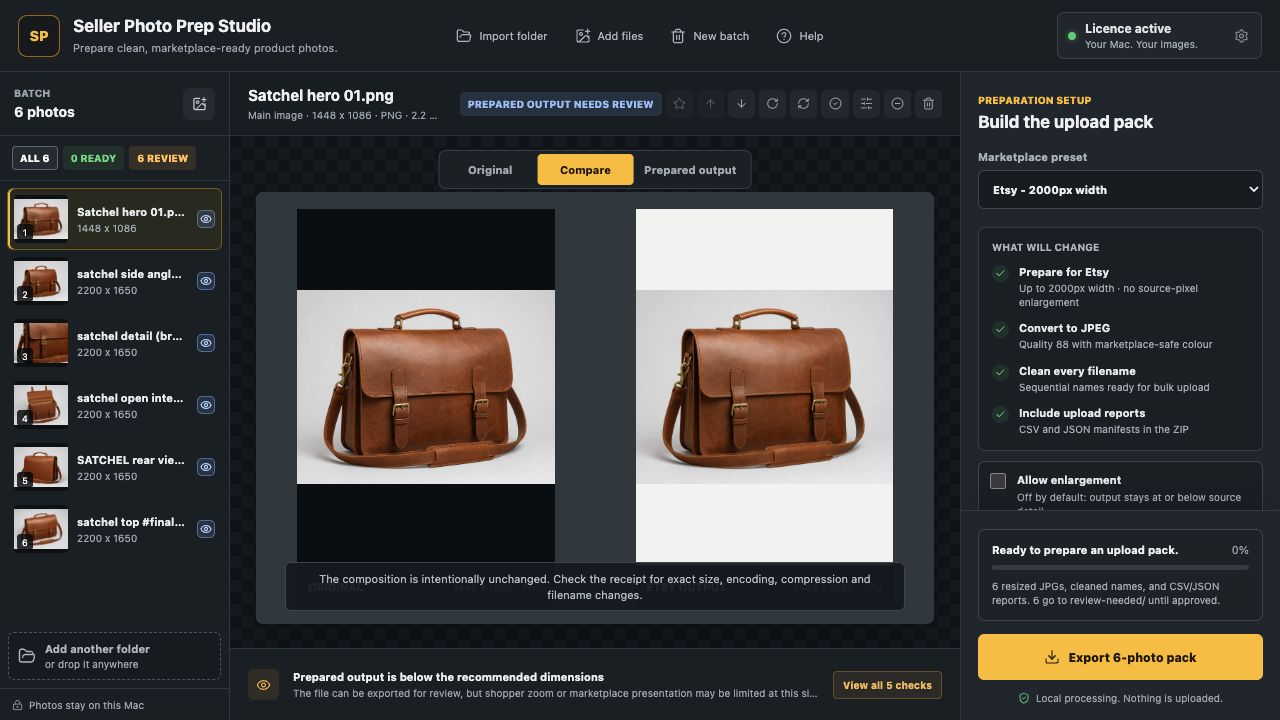
Pair decision preview
Use signals to narrow the review—not to replace it.
This small decision board shows why exact and visual similarity are different. It does not read your photos; Seller Photo Prep performs local duplicate checks in the Mac workflow.
No upload: this preview uses only the choices above.
Compare sharpness, crop, exposure, and defects side by side; keep the stronger frame.
Check the source photos firstThe safe order
Group first. Compare second. Remove last.
Similarity across different products is not a duplicate. Similarity inside one product set is still only a comparison lead until you review why each photo exists.
- Exact match: repeated file or copied pixels.
- Near match: crop, exposure, compression, or small framing difference.
- Useful alternate: a new angle, defect, label, texture, scale, or included part.
- Decision evidence: preserve the stronger photo and the reason for keeping it.
Four controlled steps
Clean the export, not the evidence.
- 01Group by product
Put the intended listing set together before comparison.
- 02Collapse exact copies
Keep the verified source with the best provenance and metadata.
- 03Compare near matches
Choose on sharpness, crop, exposure, accuracy, and buyer usefulness.
- 04Export the chosen set
Leave originals untouched and record the prepared result.
Straight answers
Before you remove a repeated angle.
What is the difference between an exact duplicate and a near-duplicate?
An exact duplicate has the same image content. A near-duplicate may differ in crop, exposure, sharpness, or a small detail.
Should every similar product photo be deleted?
No. Similar frames may show a useful angle, defect, texture, scale, or accessory.
Does Seller Photo Prep delete source photos?
No. It controls what enters the prepared export pack and does not modify or delete the source photos.
Start with the batch
Find the repeat, keep the useful evidence.
Use the free local checker to inspect a small set, then use the Mac workflow for exact and near-duplicate control across larger folders.